USB Firmware Compilation
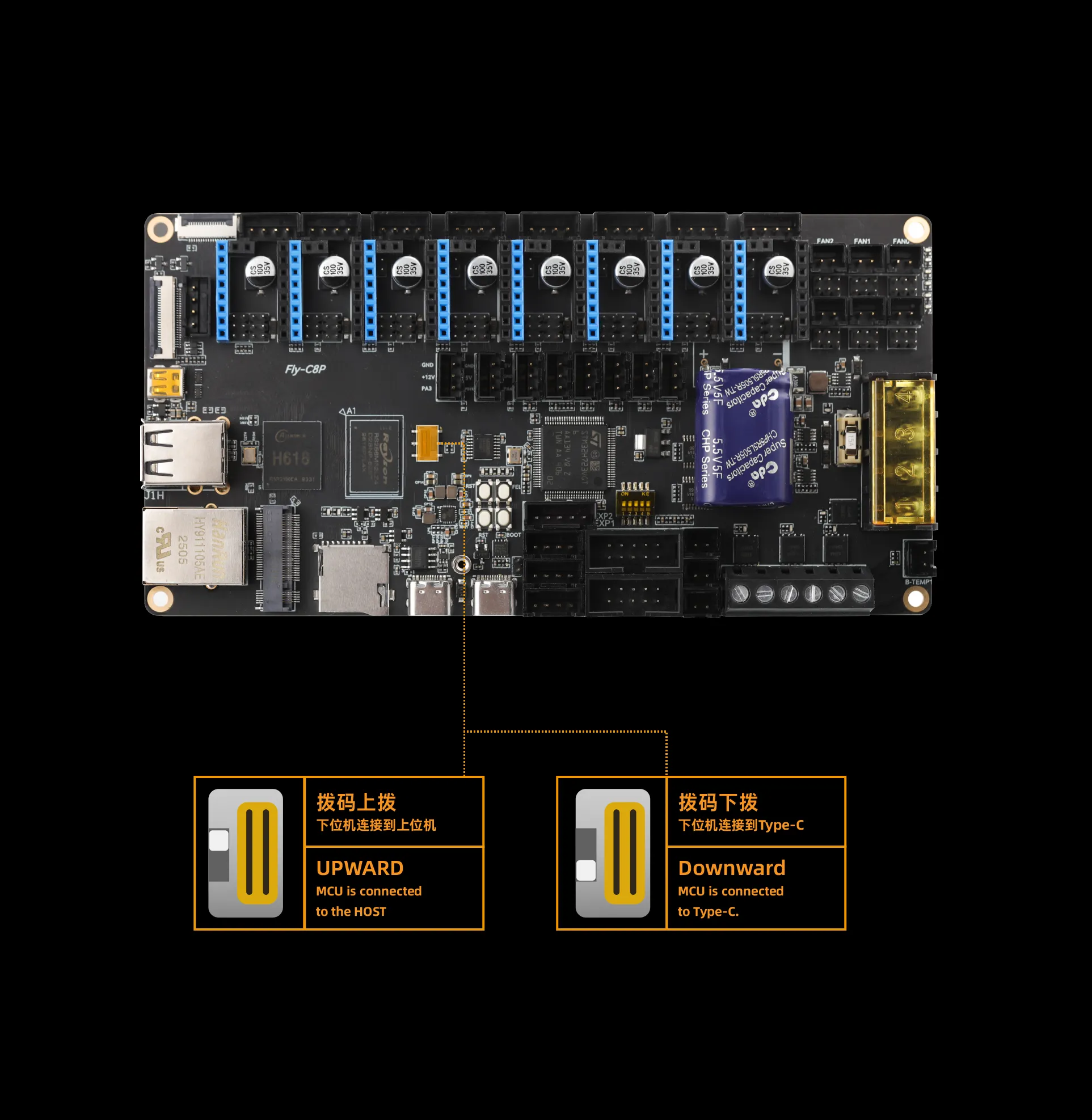
Check the DIP Switch
- For normal use, please
set the DIP switch to the UP position. - When setting the switch, please
push it all the way UP, otherwise it may not connect to the lower computer!!!
SSH Connect to the Upper Computer
- Before compiling the firmware, you need to
connect to the upper computer SSH via wifi.
- First, please: Connect to the upper computer SSH via wifi
- USB Firmware Flashing
- Manually Compile USB Firmware
USB Firmware Flashing
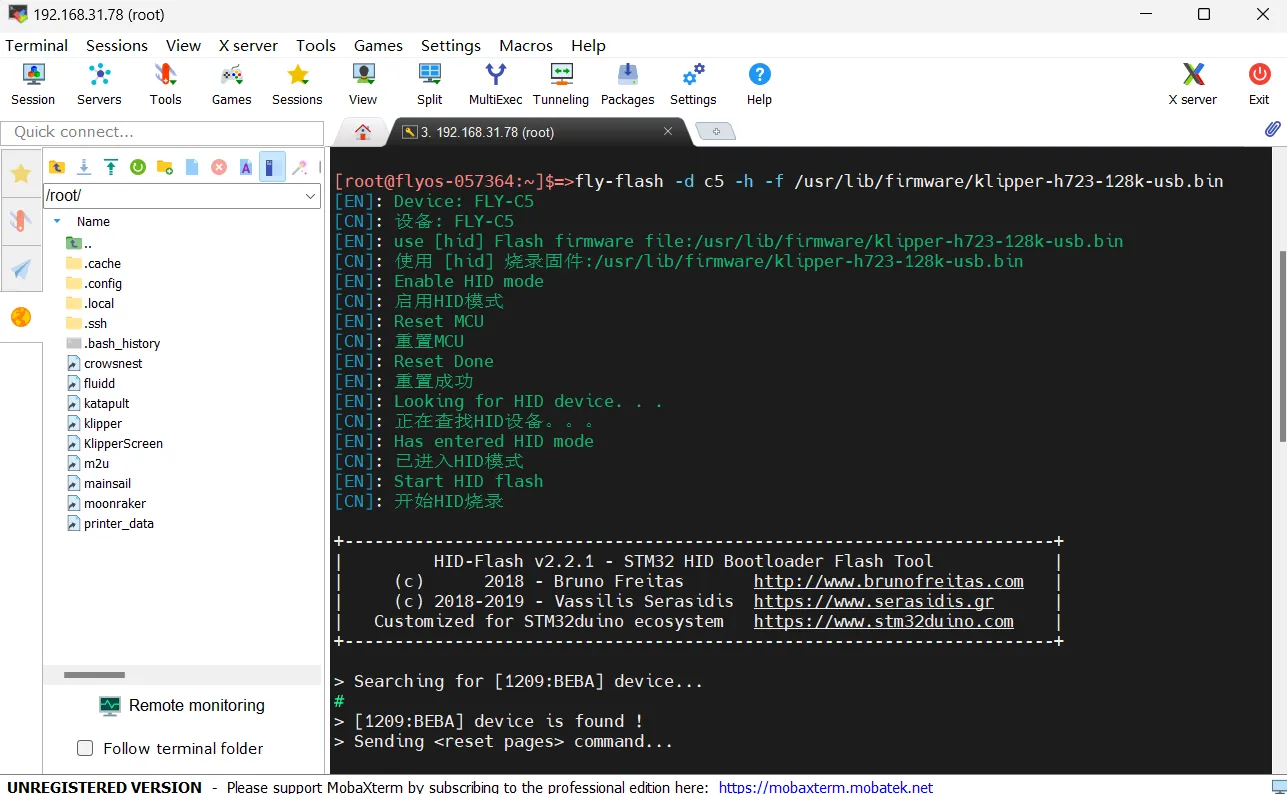
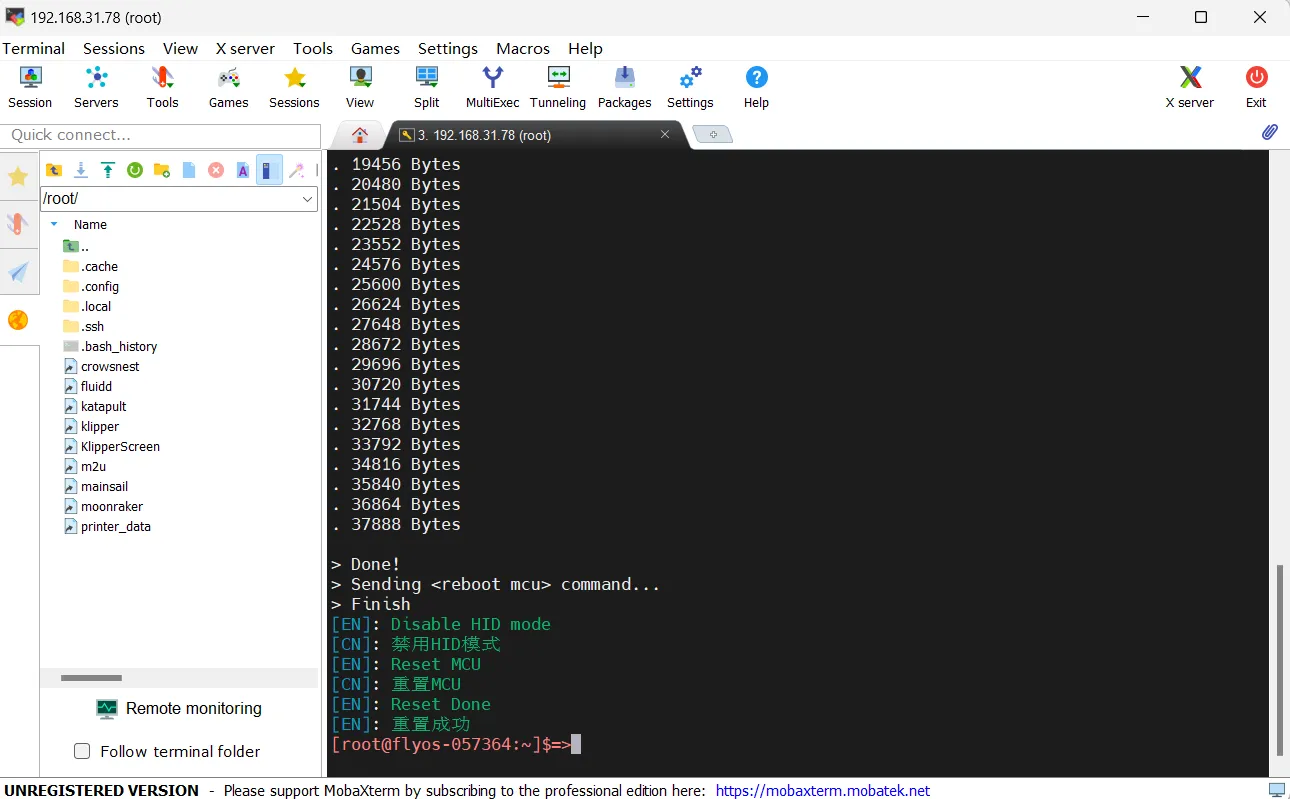
- The FLYOS-FAST system has a pre-compiled USB firmware, so manual compilation is not required. Execute the command below to flash.
- You can also choose to
manually compile the USB firmwareto compile it yourself.
- Connect to the upper computer via SSH and enter the following command:
fly-flash -d auto -h -f /usr/lib/firmware/klipper/stm32h723-128k-usb.bin
Manually Compile USB Firmware
Klipper Firmware Compilation and Configuration Page Operation Instructions
Please ensure that the keyboard input method is in half-width mode, i.e., English mode.
- The up arrow key
↑, down arrow key↓are used to move the cursor up and down to select menu items. - The confirm key
Enteror space keySpaceis used to check the menu or enter a sub-menu. - The exit key
ESCis used to return to the previous menu. - The
Qkey is used to exit the Klipper firmware configuration page. - The
Ykey, when exiting the Klipper firmware configuration page and there is a prompt, click theYkey to save the configuration file.
If there are fewer options in the configuration page, please first check [ ] Enable extra low-level configuration options to display some hidden options.
Below is an introduction on how to compile the firmware:
-
After connecting to SSH, enter the following command and press Enter:
cd ~/klipper && rm -rf ~/klipper/.config && rm -rf ~/klipper/out && make menuconfig -
Where
rm -rf ~/klipper/.config && rm -rf ~/klipper/outis to delete previous compilation data and firmware,make menuconfigis to compile the firmware, after execution, the following interface should appear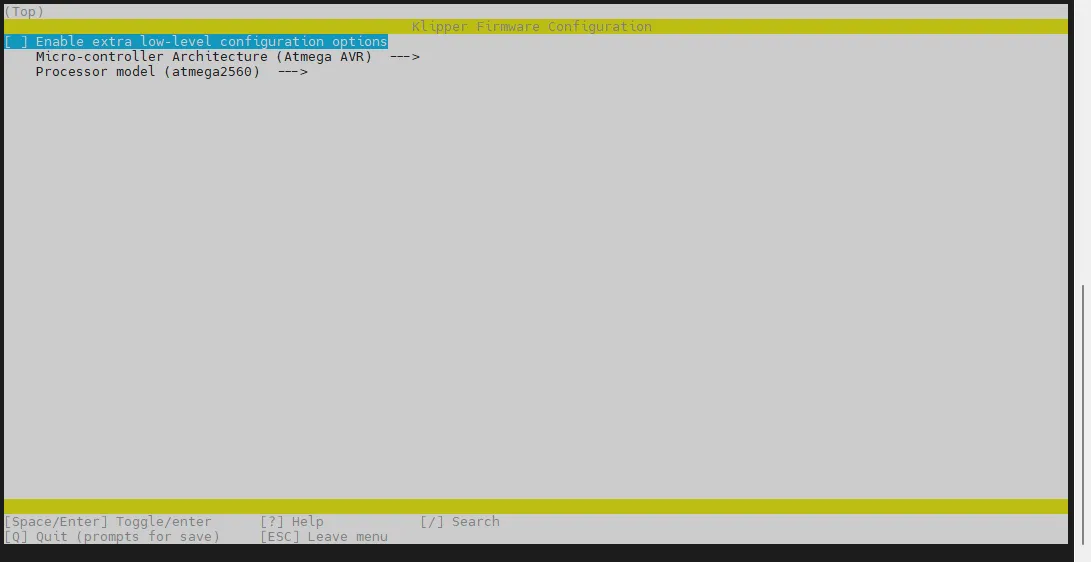
-
Select Enable extra low-level configuration options and press Enter
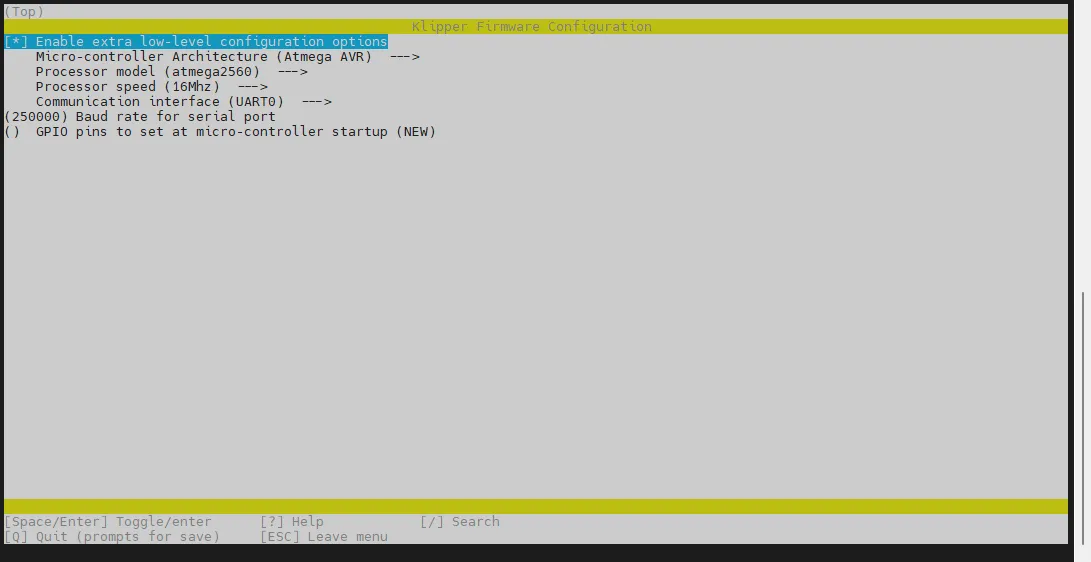
-
Enter the menu Micro-controller Architecture then select STMicroelectronics STM32 and press Enter
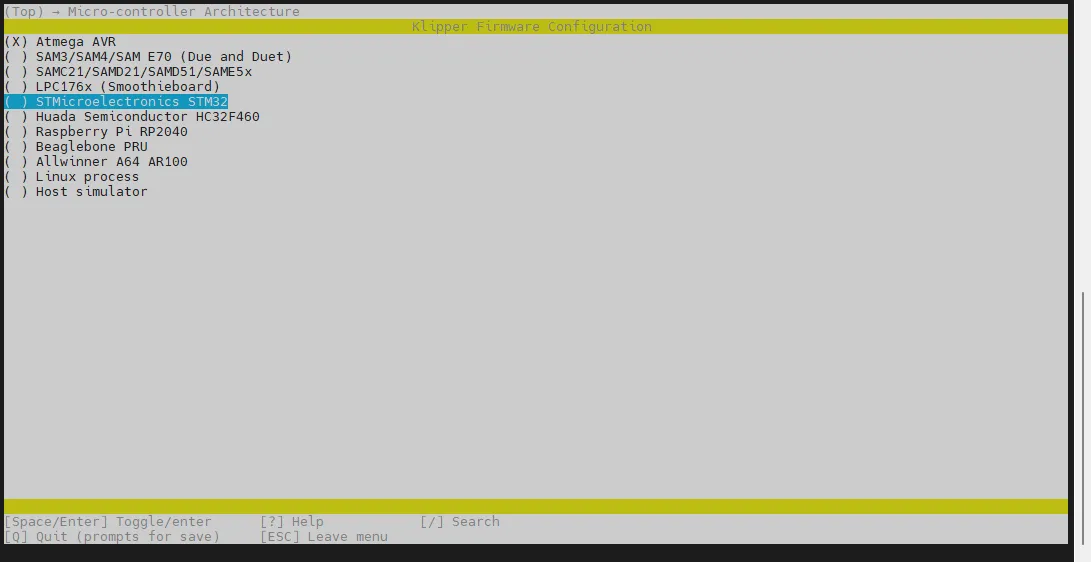
-
Enter the menu Processor model, select STM32H723 and press Enter
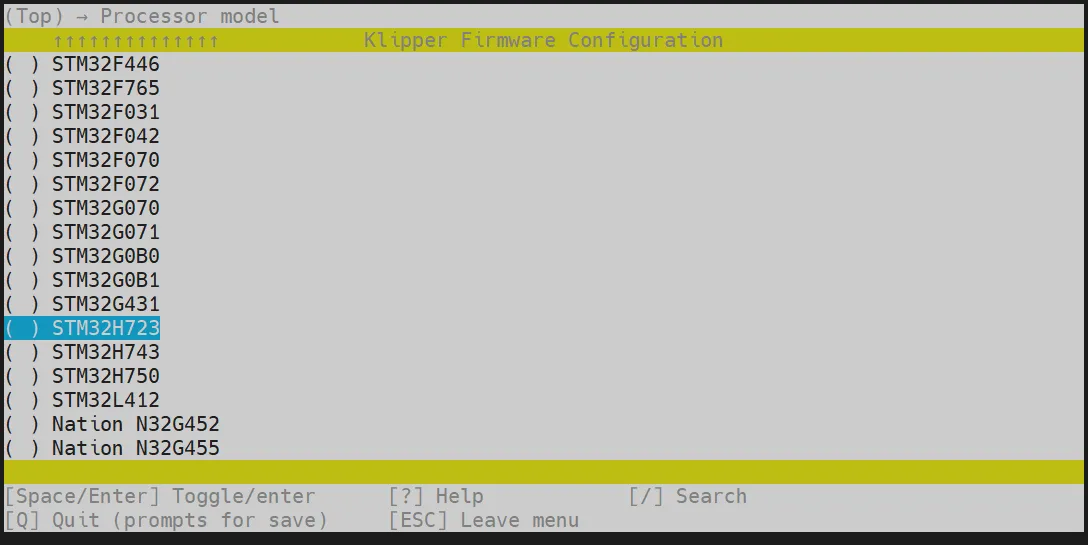
-
Select Bootloader offset, select: 128KiB bootloader
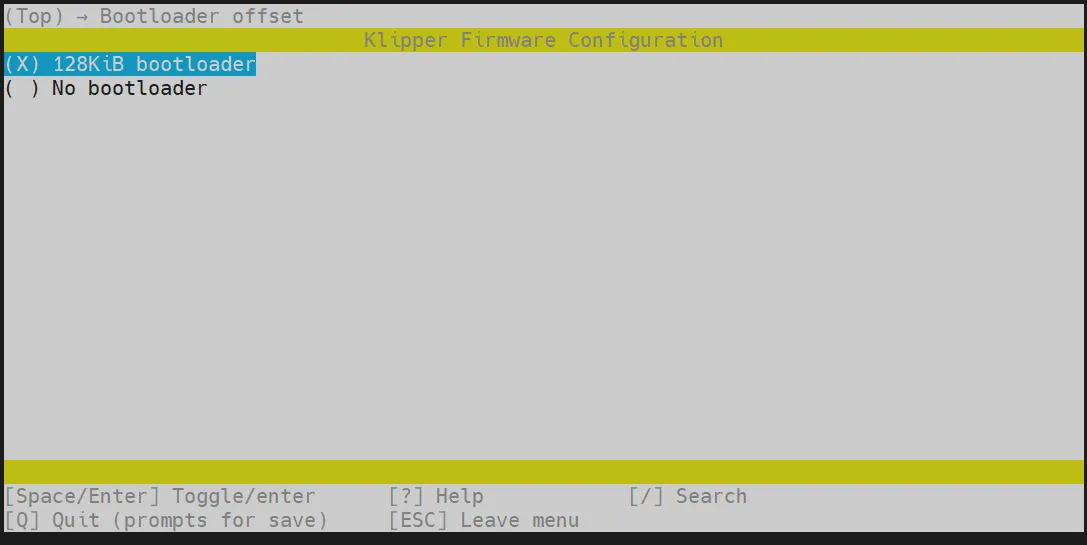
-
Select Clock Reference (8 MHz crystal), select: 25 MHz crystal
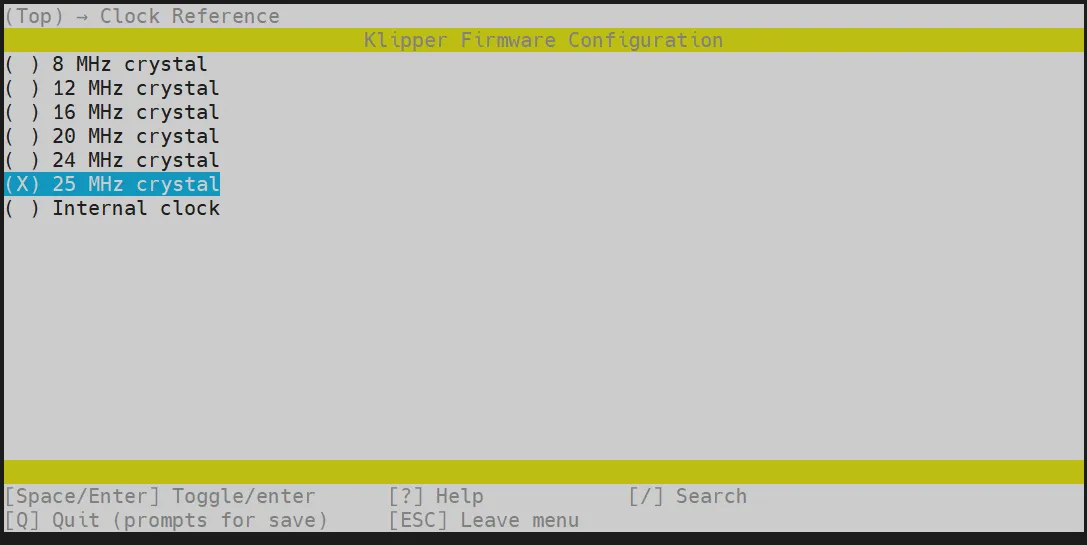
-
Communication interface, select: USB (on PA11/PA12)
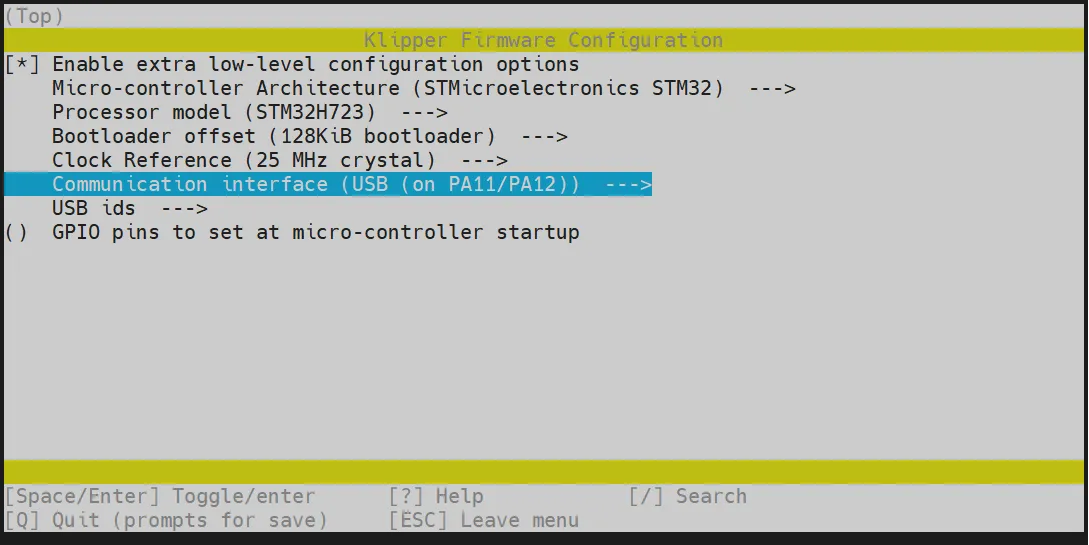
- Press the
Qkey, thenSave configurationwill appear. Press theYkey.

-
The configuration should now be saved, and you will return to the command line interface.
-
Enter the following command to start compilation. It will take some time.
make -j4
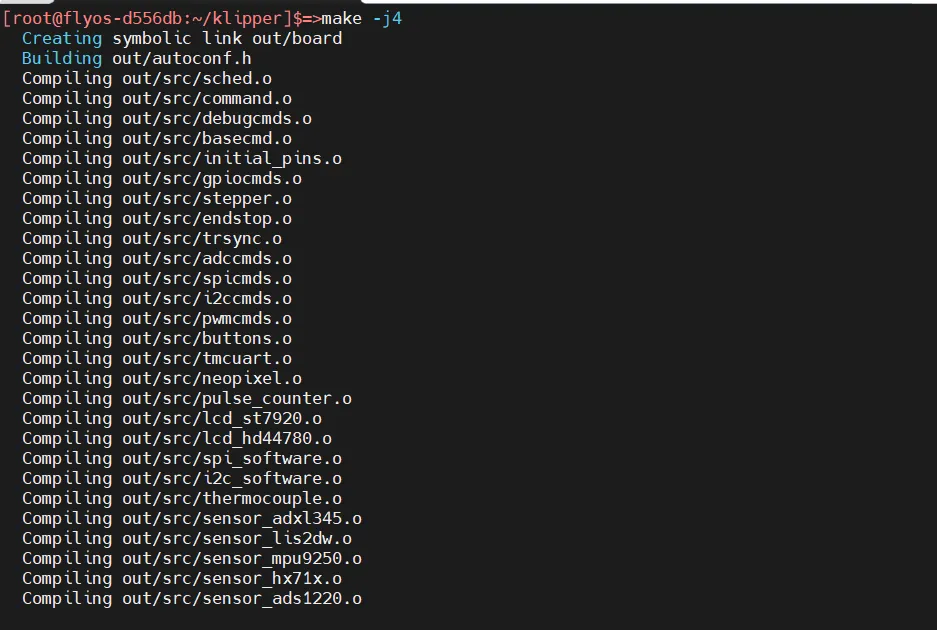
- If the final output shows the following content, the compilation is successful.
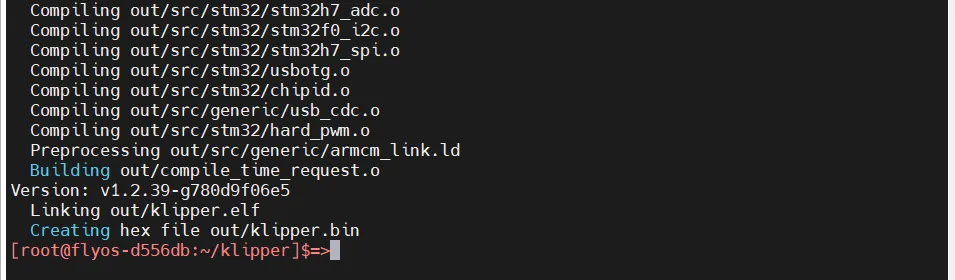
Firmware Flashing
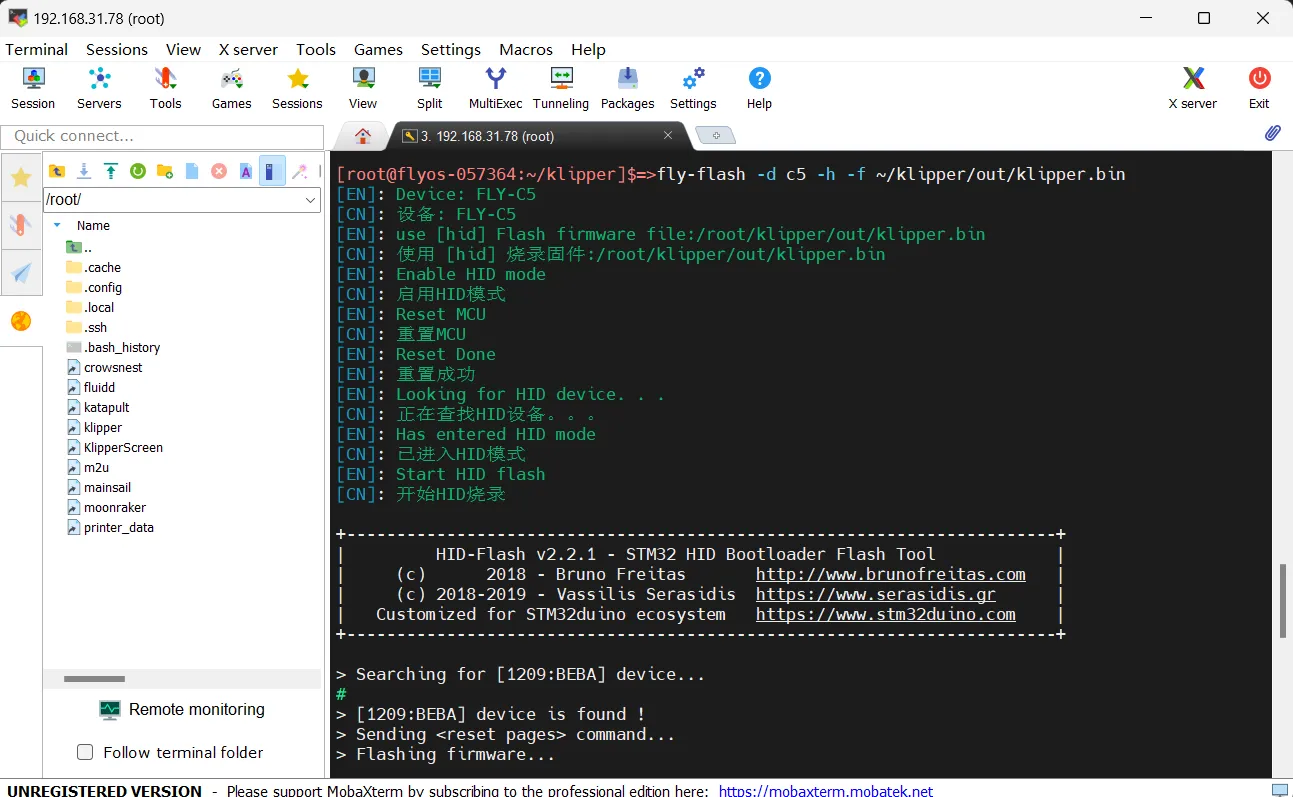
Execute the following command to flash the firmware.
fly-flash -d auto -h -f /data/klipper/out/klipper.bin
Searching for USB ID
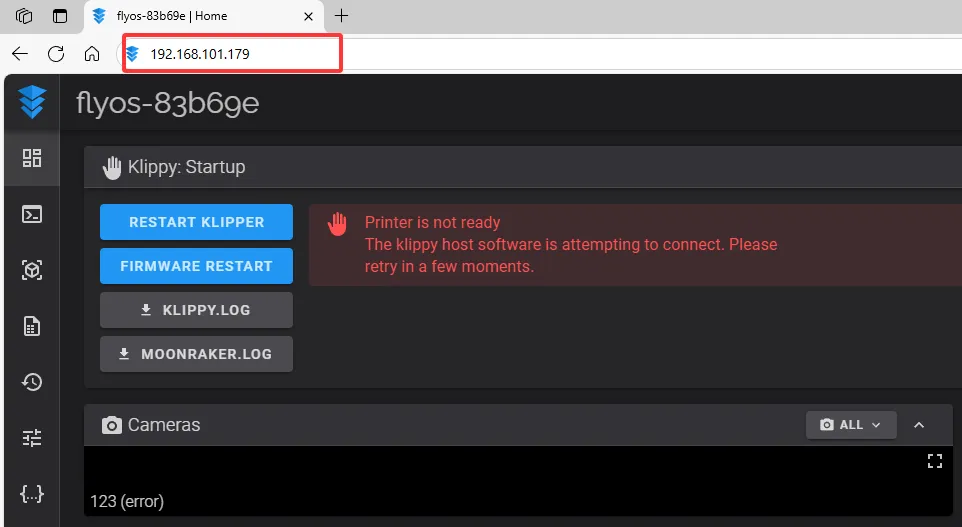
- Open your browser, enter the IP address of the host computer in the address bar. For example, if my host IP is
192.168.101.179, just type it and press Enter.
- Open the host's WEB interface. In the left sidebar configuration options, find:
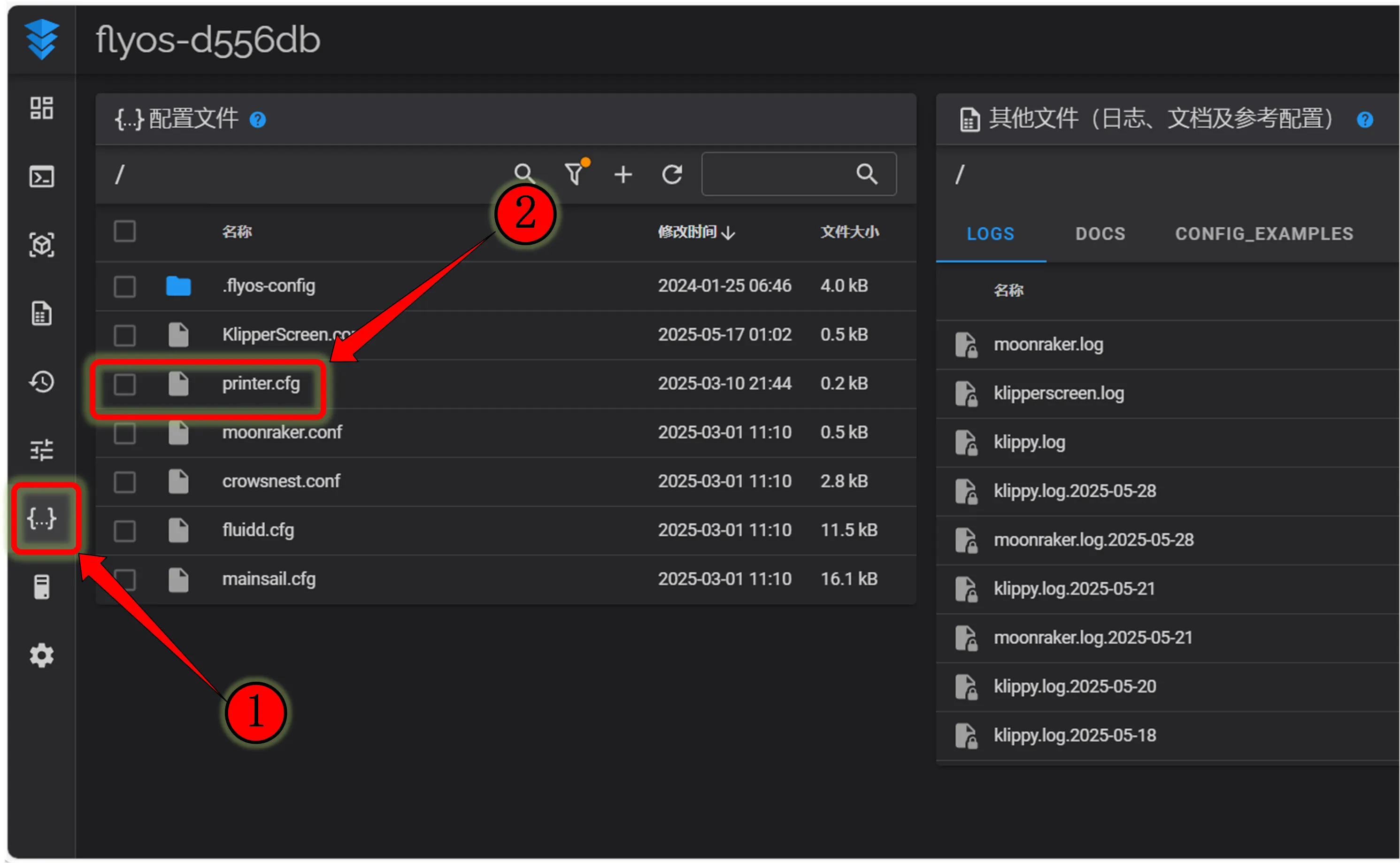 |
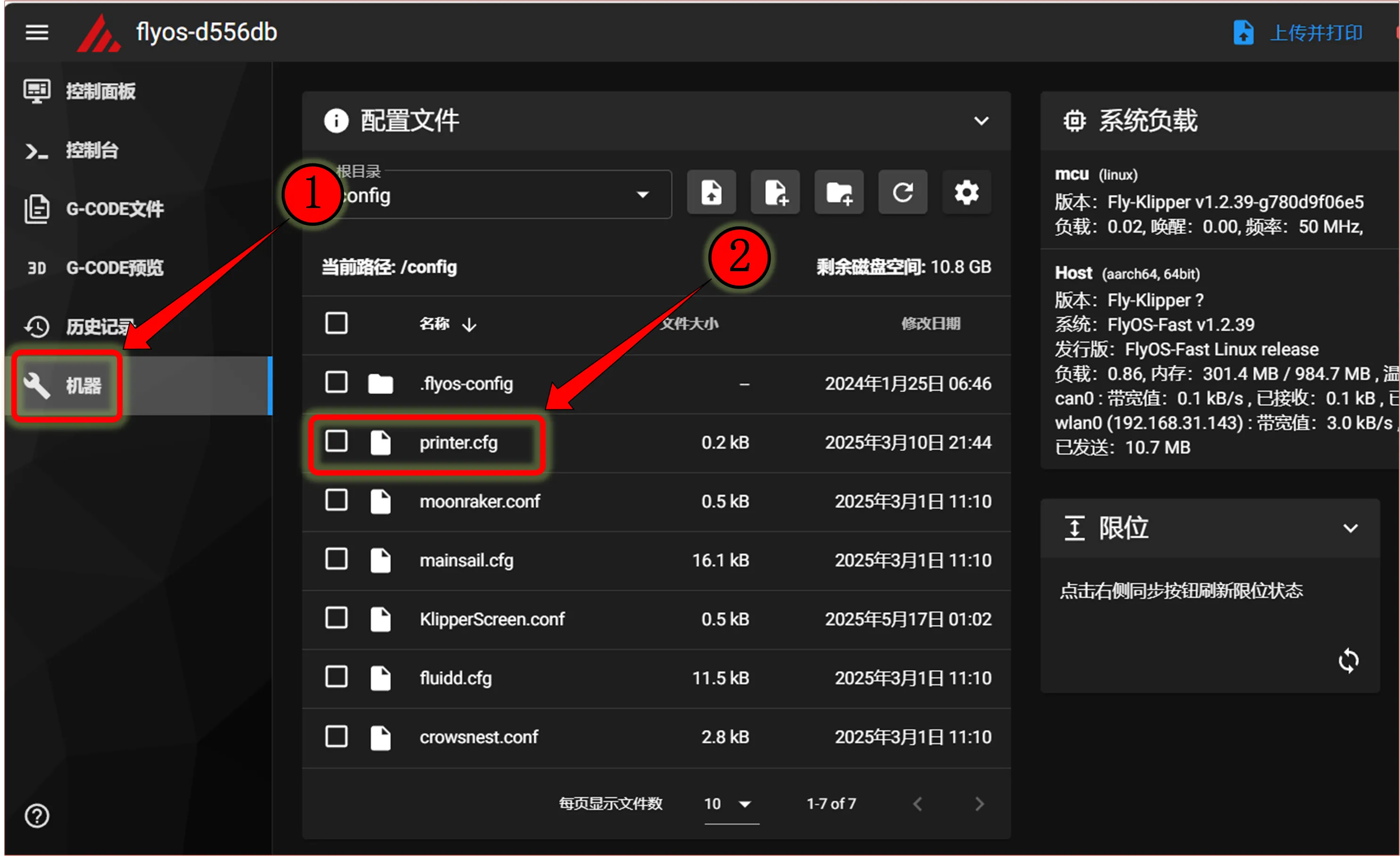 |
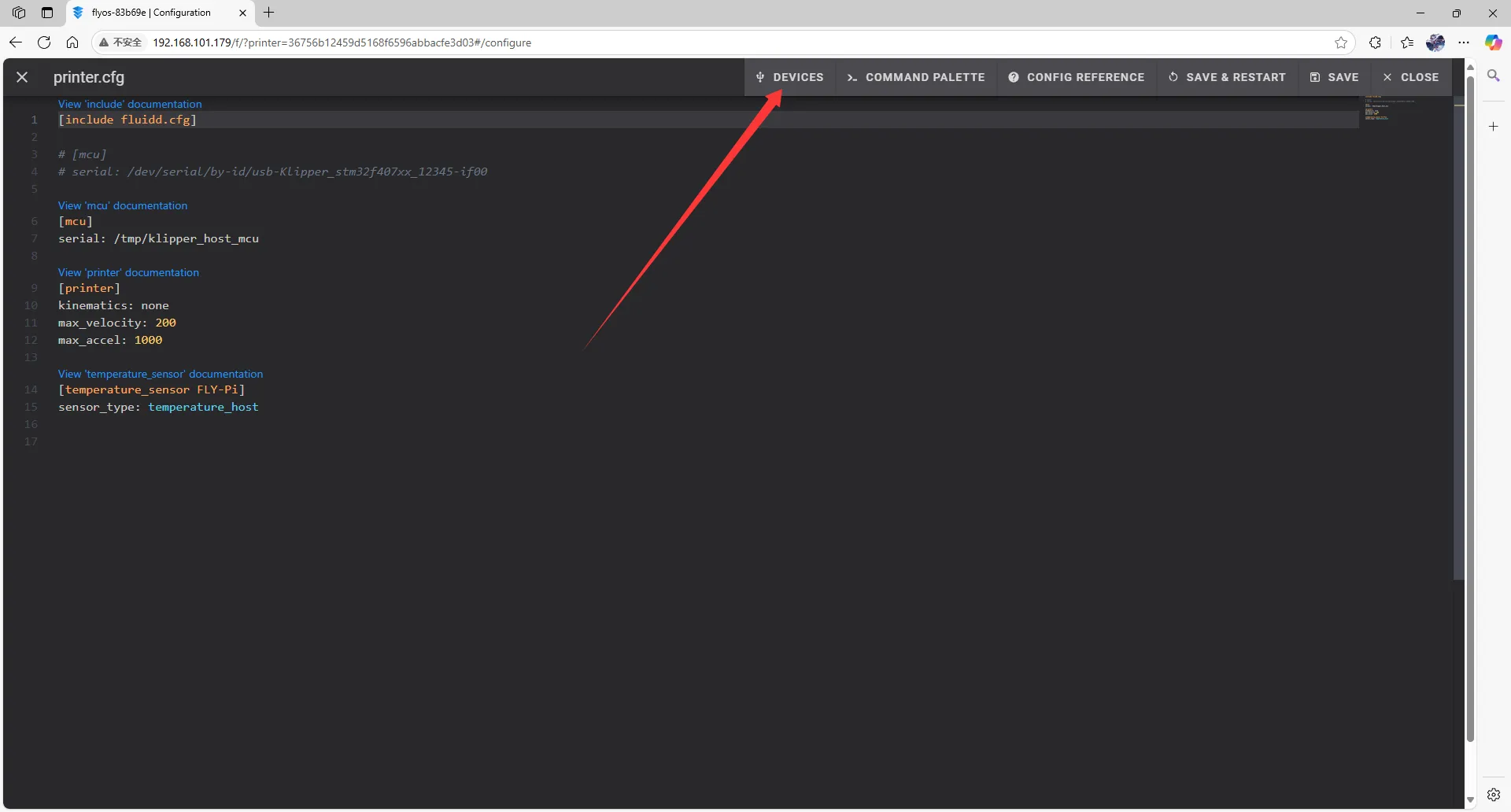
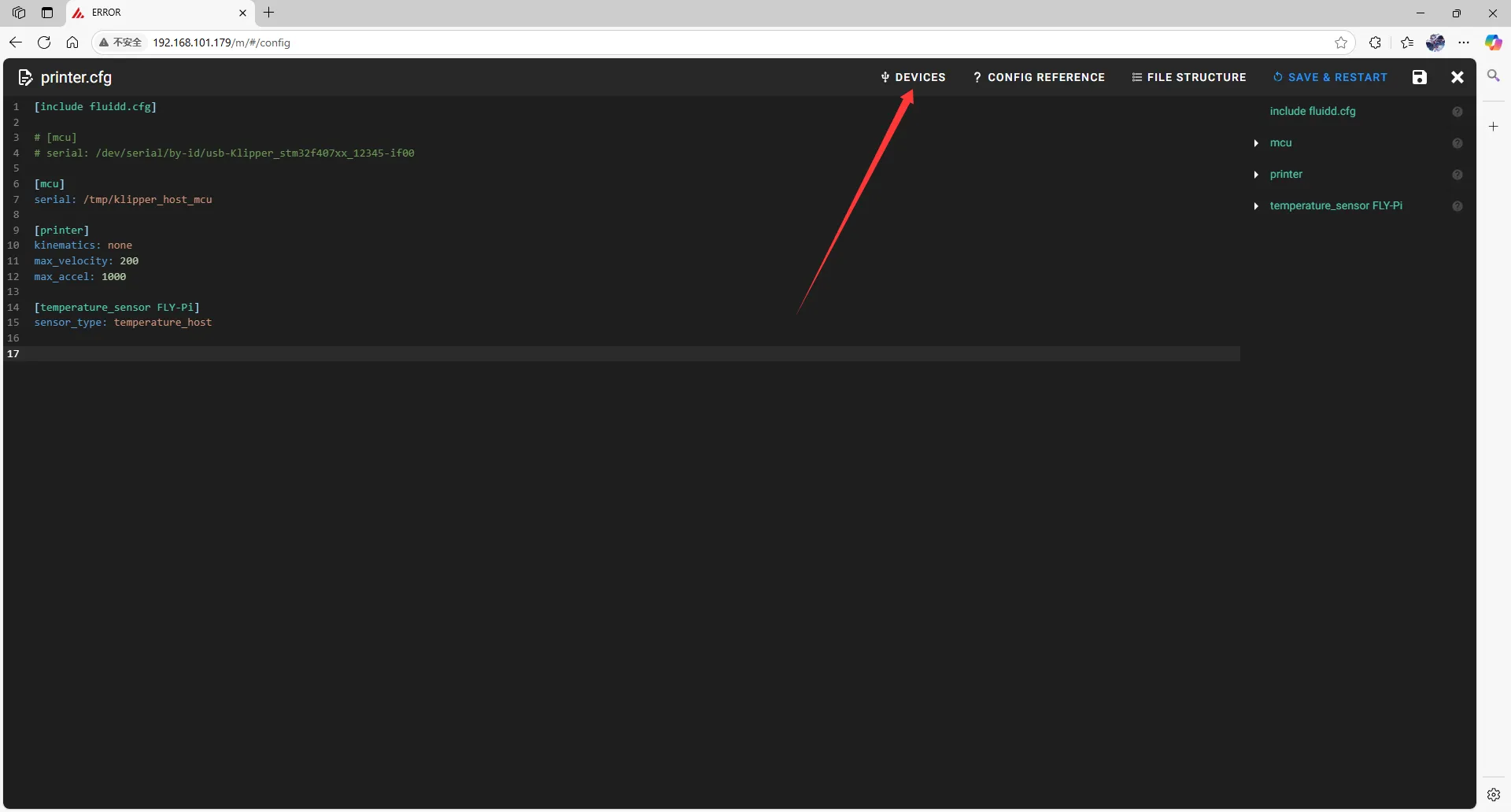
- Click
printer.cfgto enter, then clickDEVICESin the top right corner.
 |  |
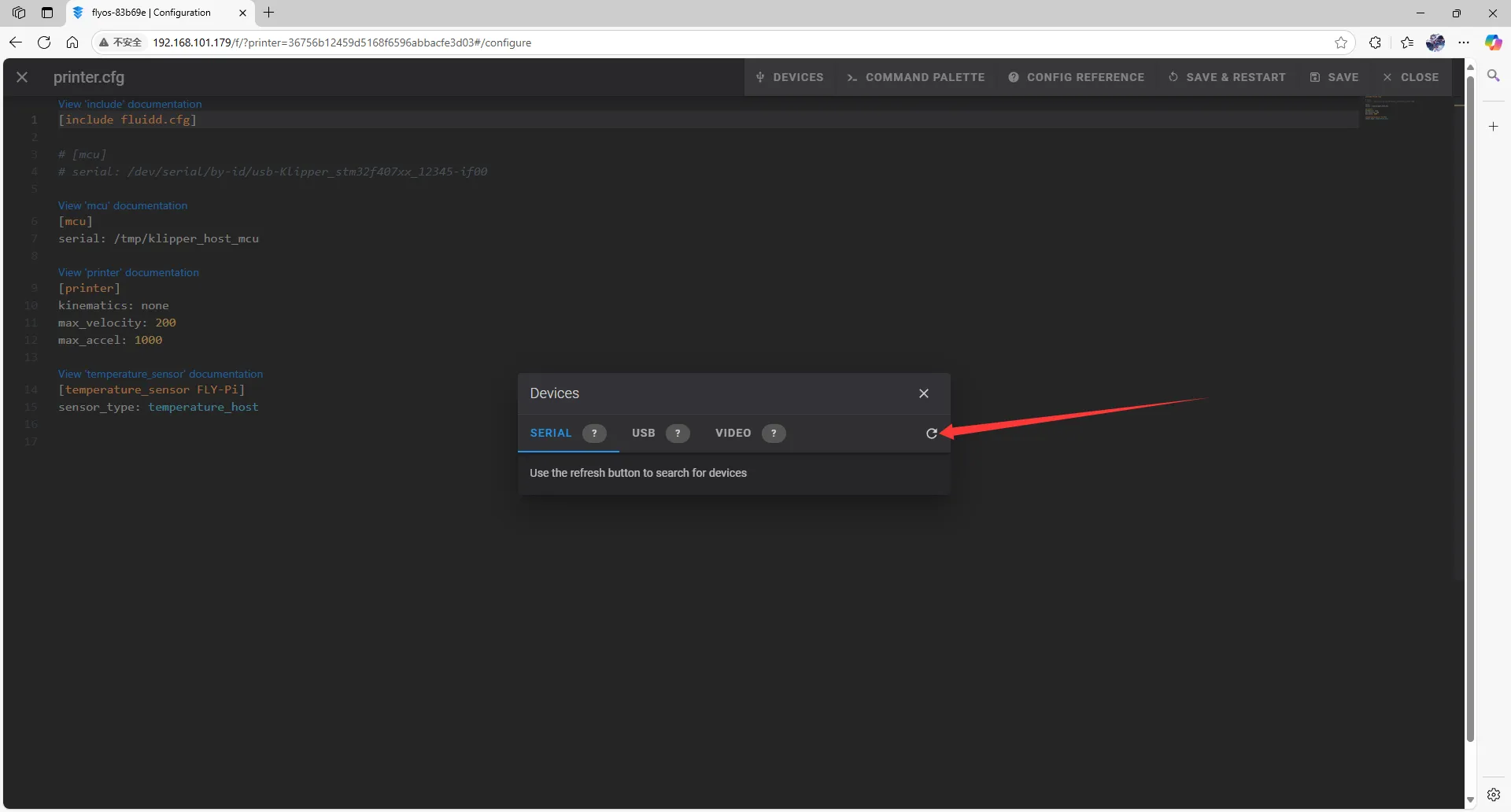
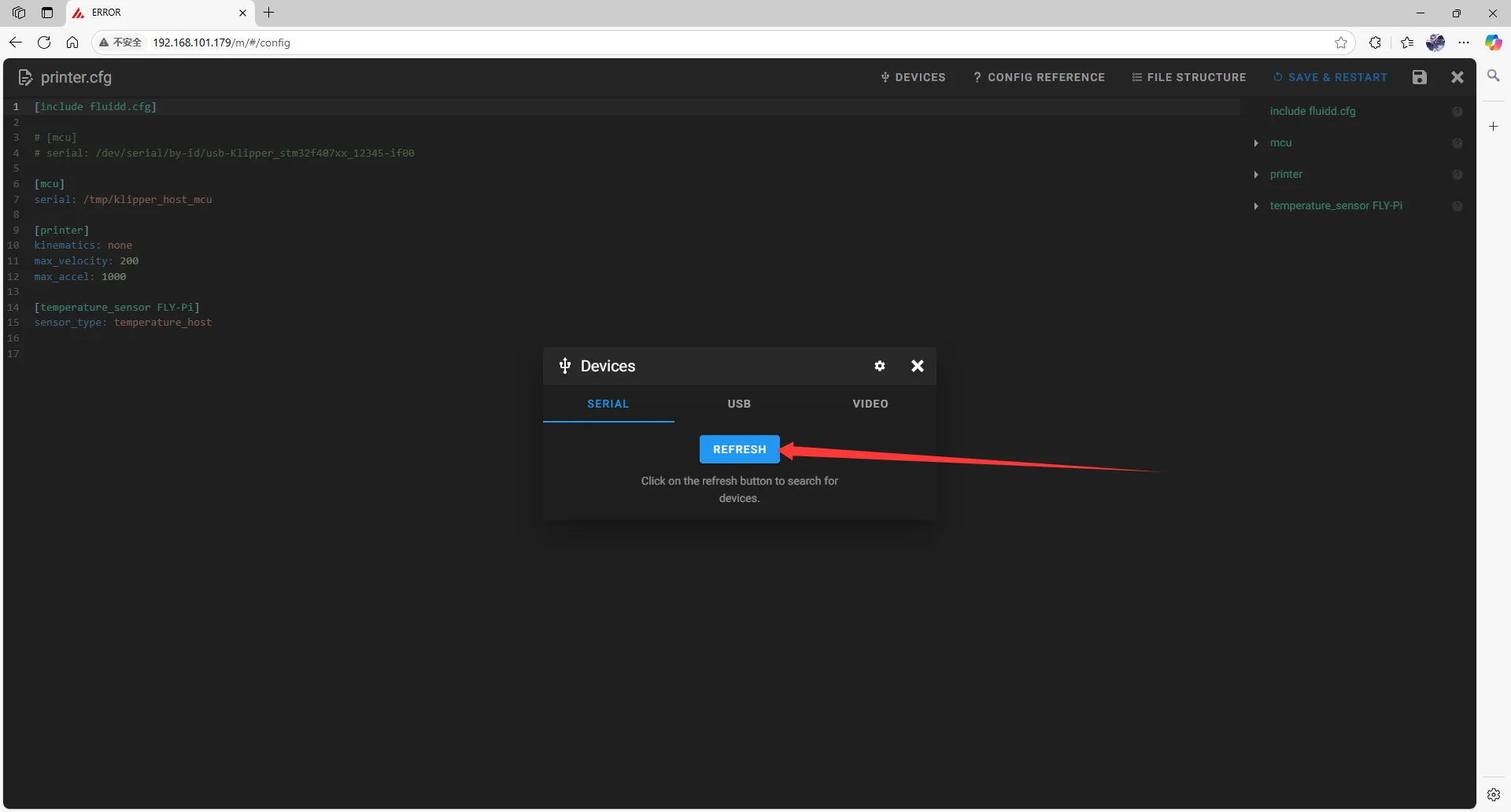
- Click
SERIAL, then refresh.
 |
 |
- Copy the ID. Click where the arrow points to copy.
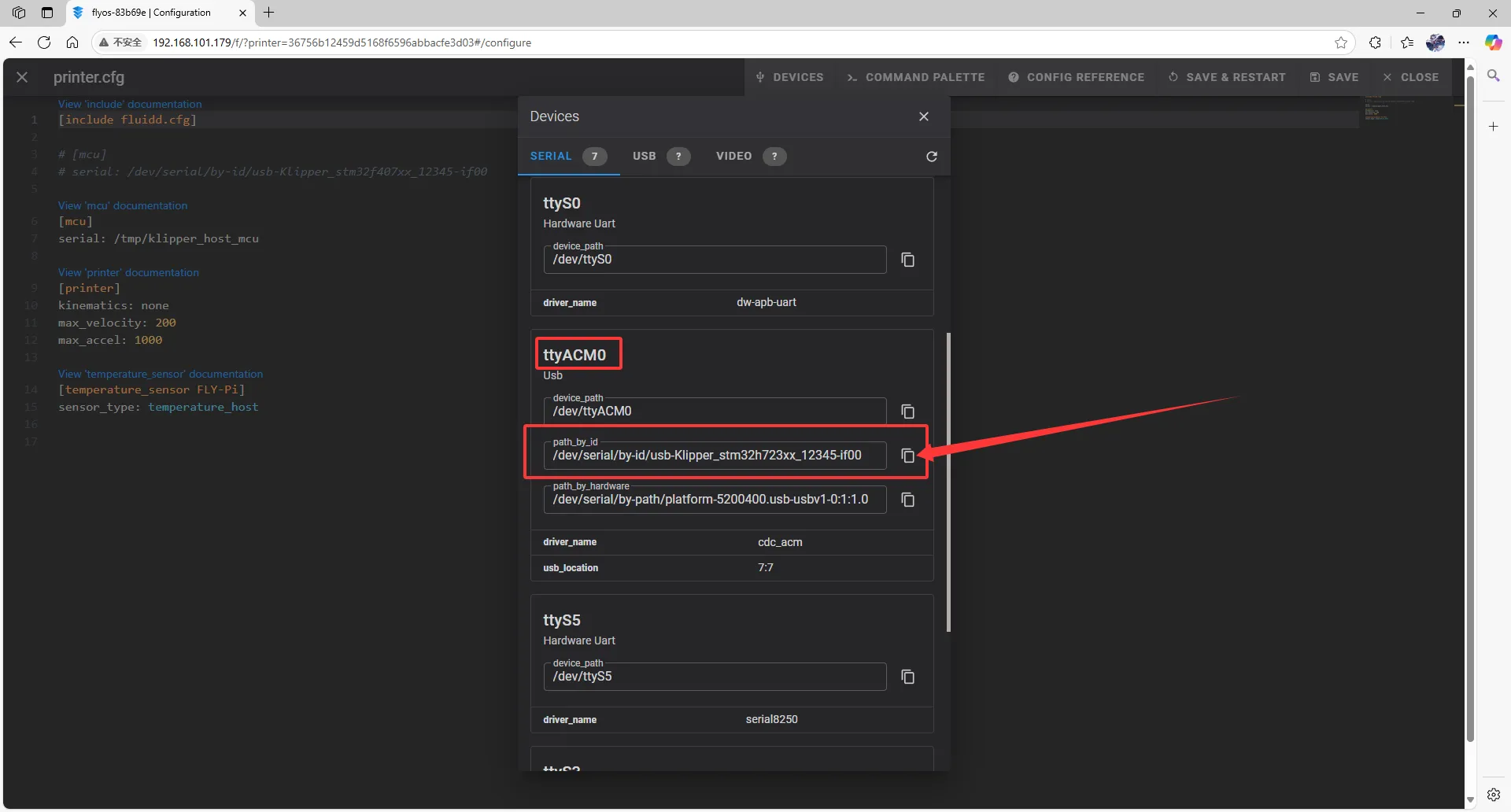 |
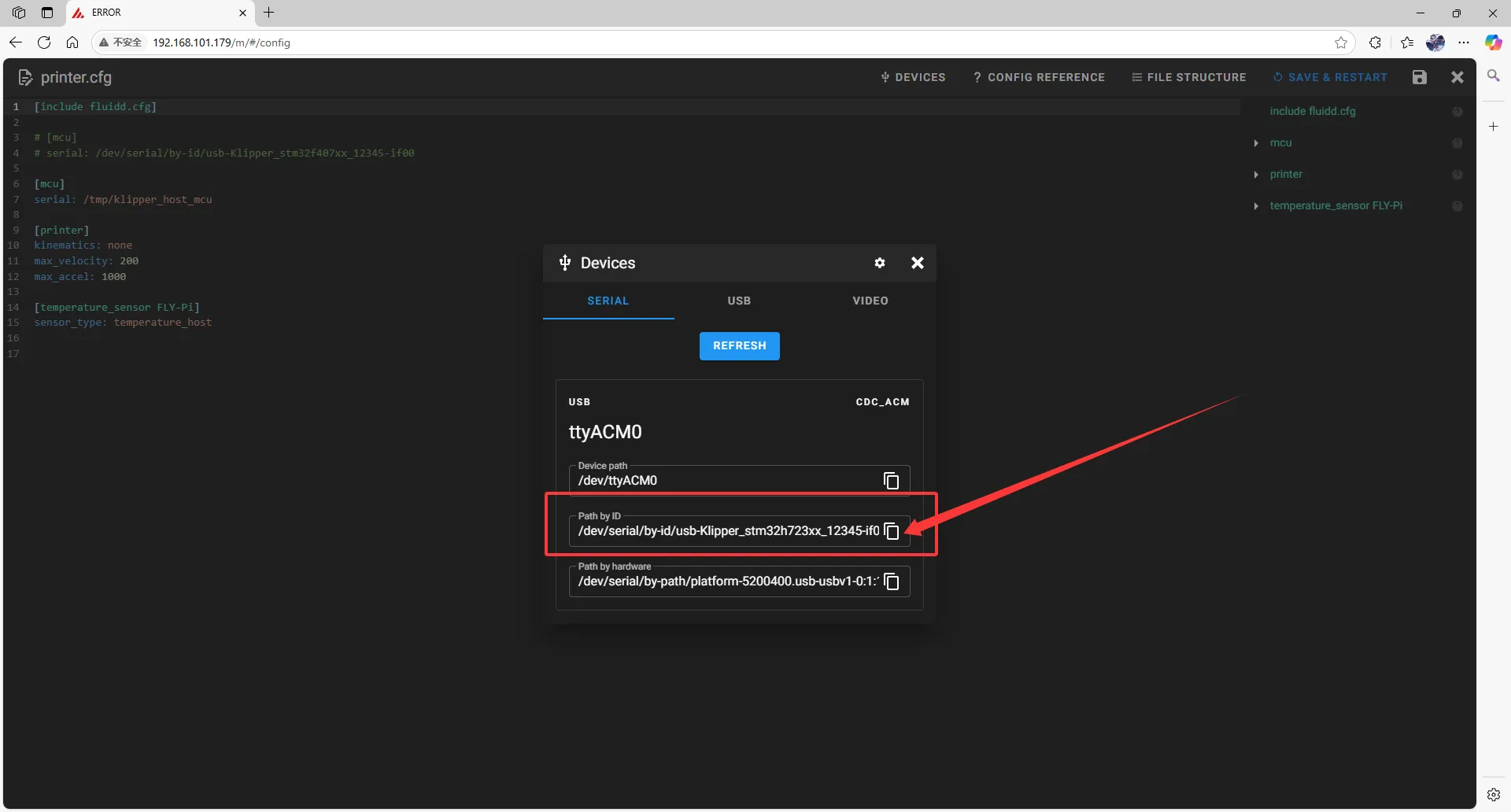 |
Filling in the USB ID
Please note, the ID below cannot be used!!!!
serial: /dev/serial/by-id/usb-1a86_USB_Serial-if00-port0
- Close
DEVICESand fill in the ID.
- In the configuration file, change:
[mcu]
serial: /tmp/klipper_host_mcu
to:
[mcu host]
serial: /tmp/klipper_host_mcu
- Add:
[mcu]
serial: <Replace this with the ID you just queried>
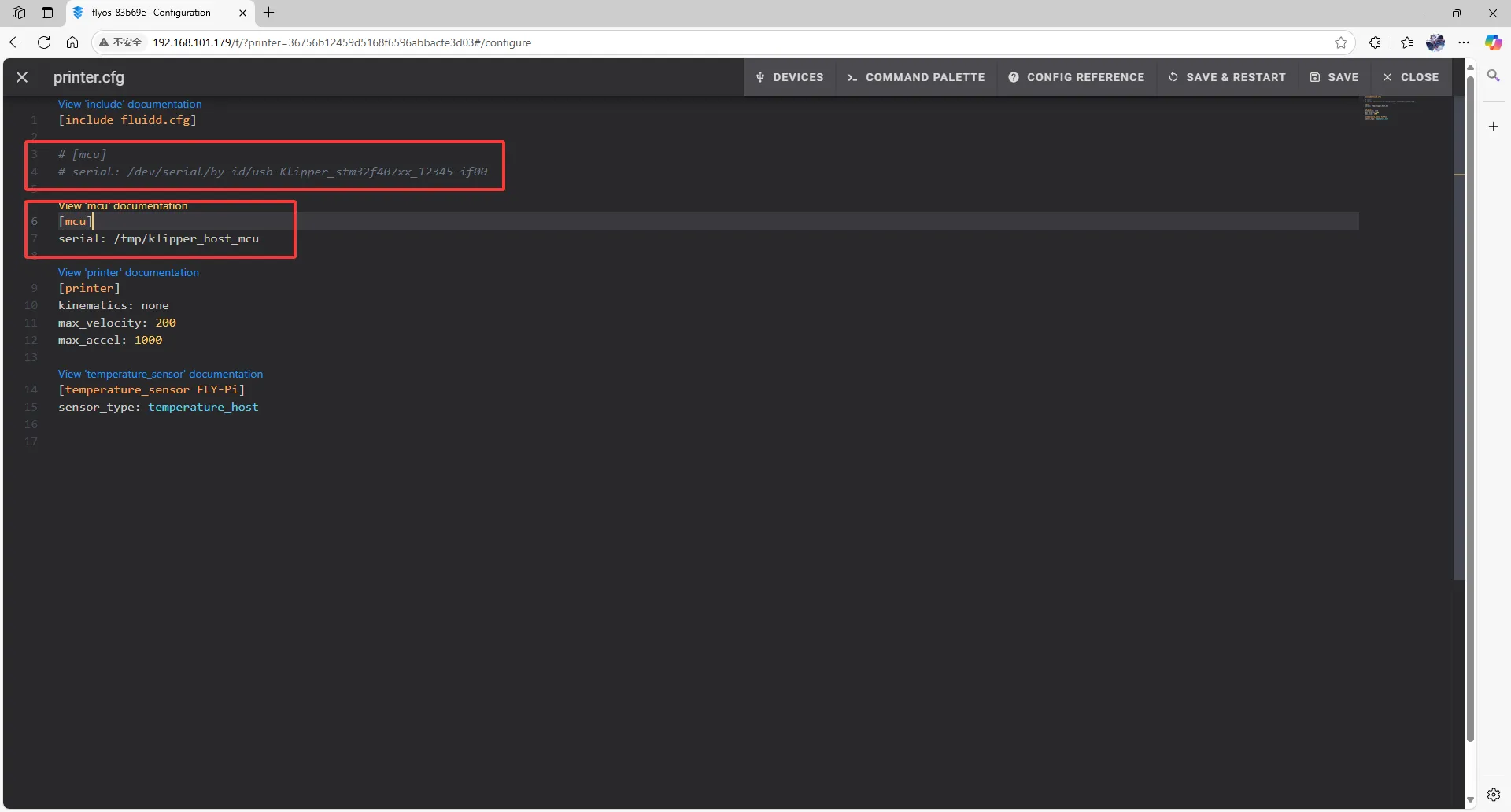 |
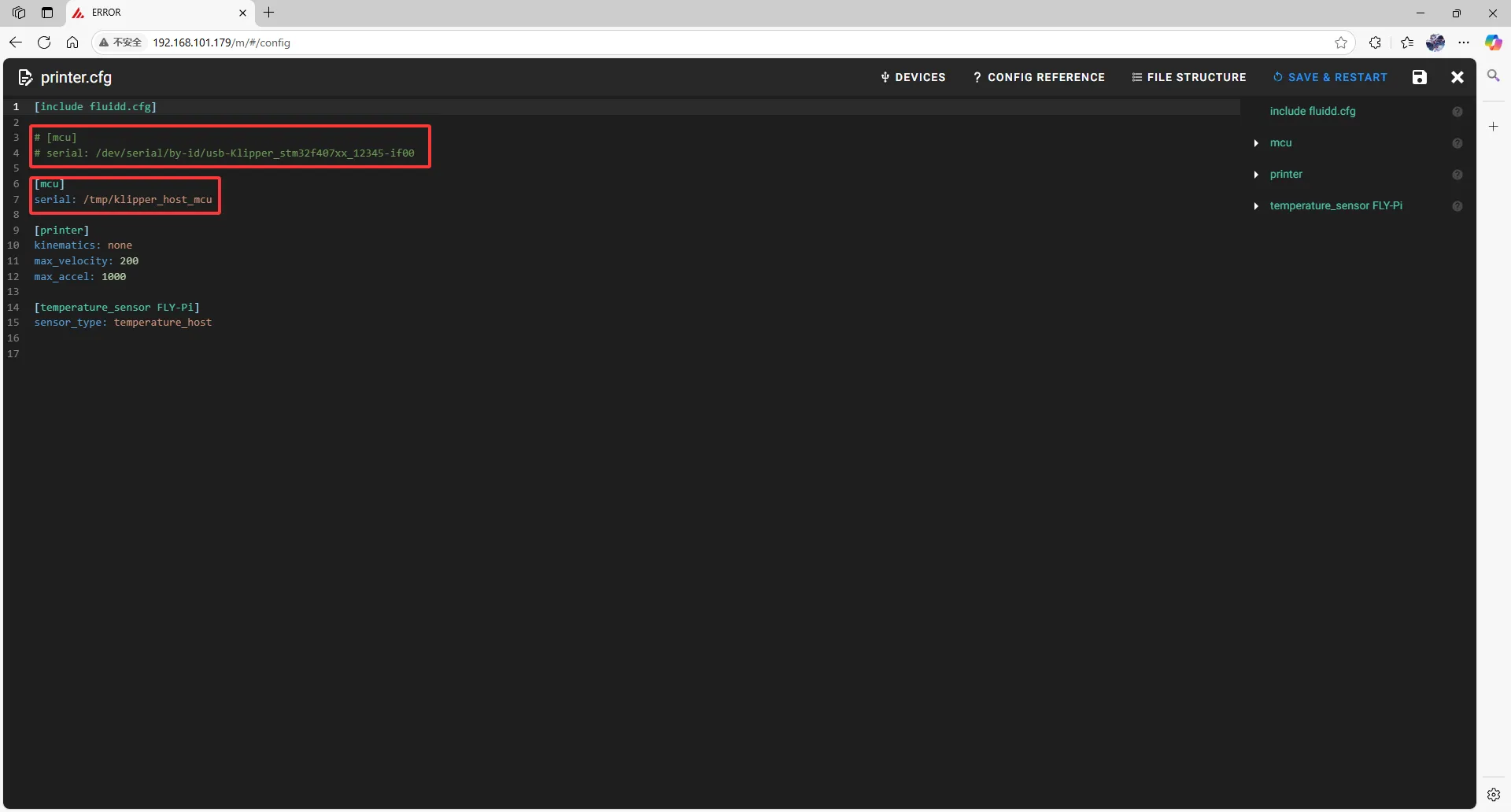 |
- Fill the ID into the configuration.
- After filling in the ID, click
SAVE & RESTARTin the top right corner.
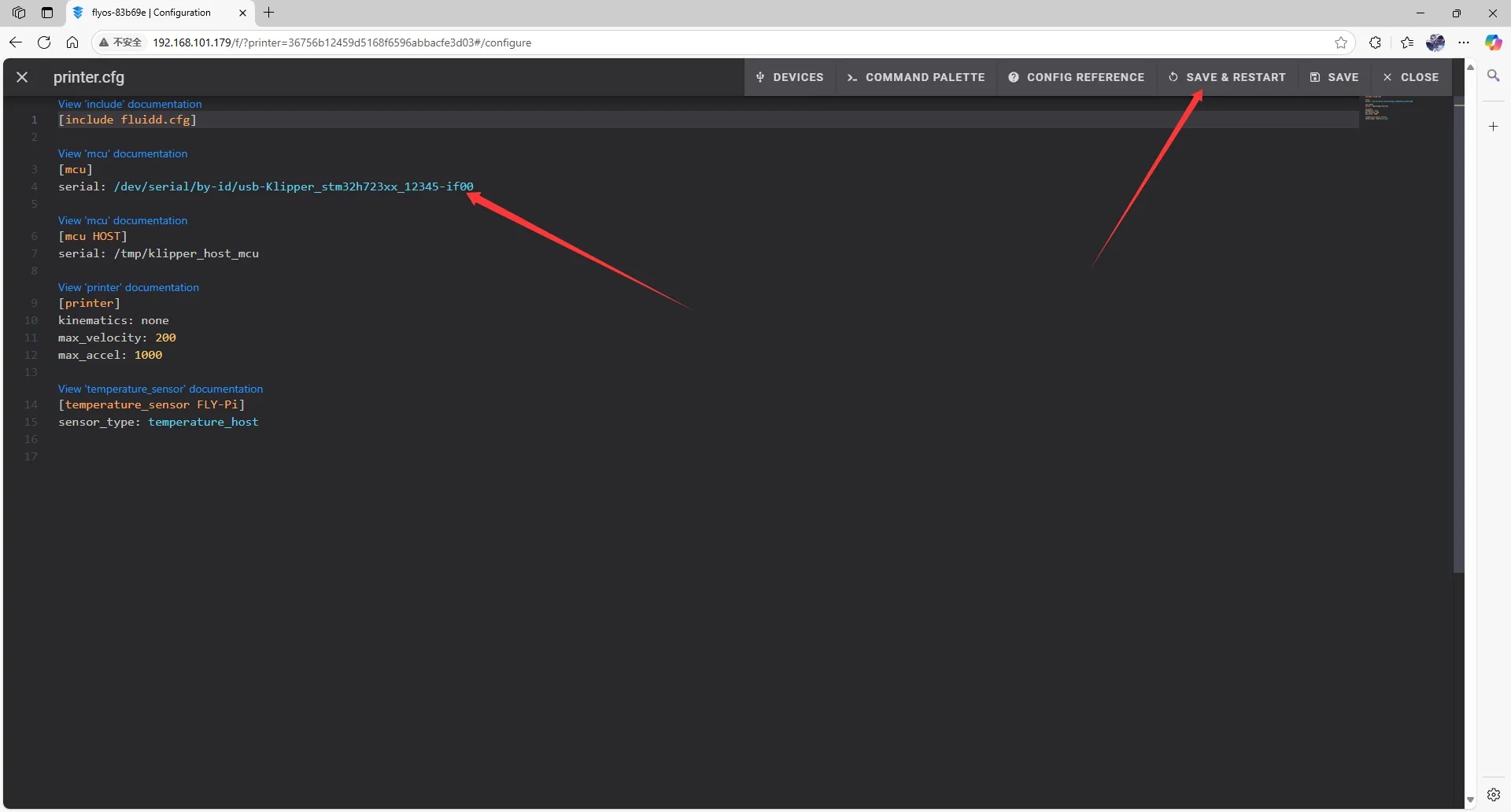 | 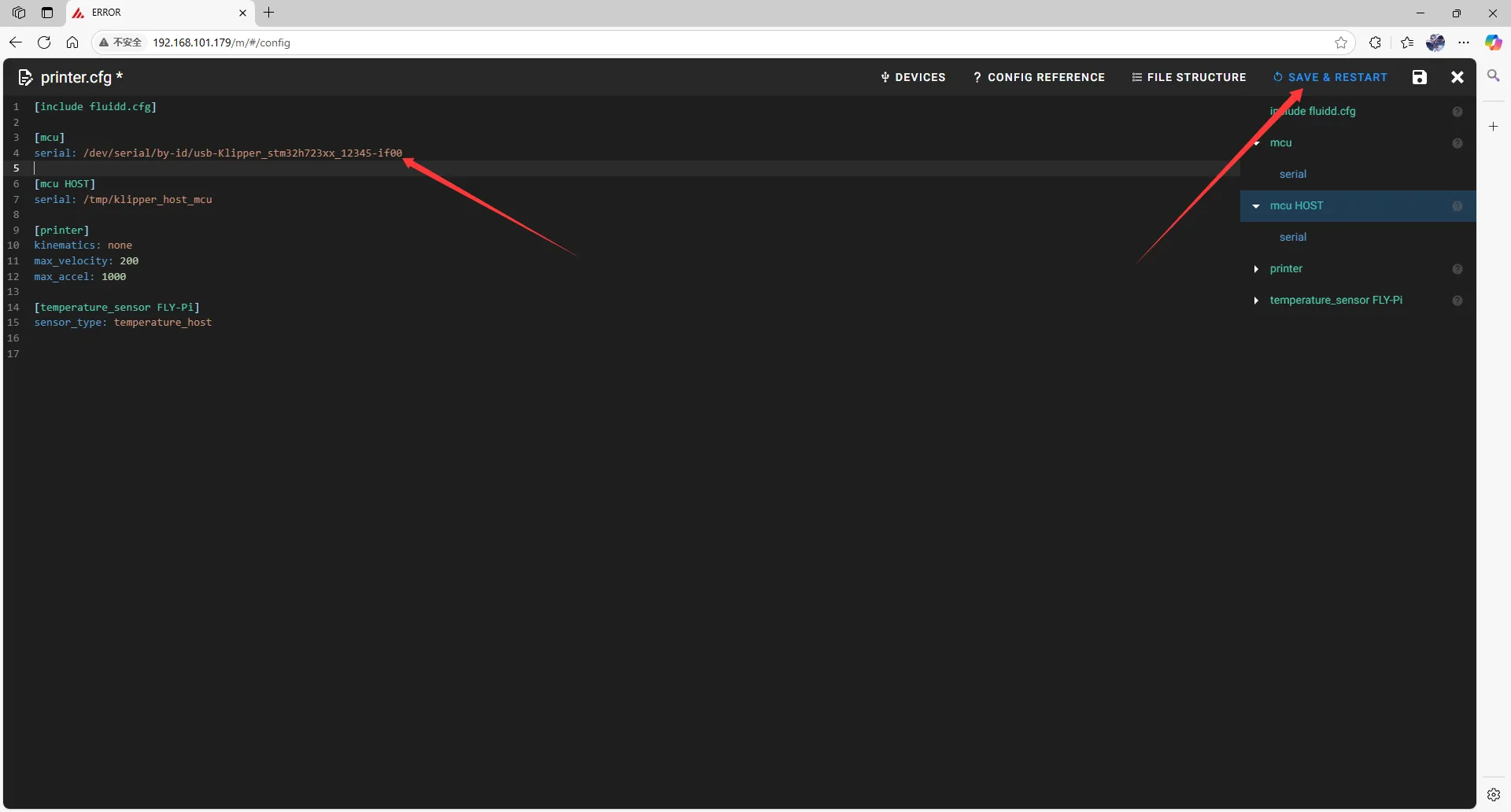 |
- If Klipper prompts
ADC out of range, this is normal. Connect the heated bed and thermistor to the mainboard, configure the thermistor pins for the hotend and heated bed, then save and restart.
Note: All IDs appearing in this document are examples. The actual ID for each mainboard is different. Please fill in the ID you actually obtained.